
n8n 集成可让工作流通过 HTTP 从浏览器获取 Cookie——无需手动导出。加密密码 仅存储在扩展中;服务器不会收到该密码。
架构
n8n ──HTTP GET──► Cookie Editor Server ──WebSocket──► Extension ──► chrome.cookies
                        │                                    │
                        └──── encrypted data ◄───────────────┘
n8n decrypts with the password you configured
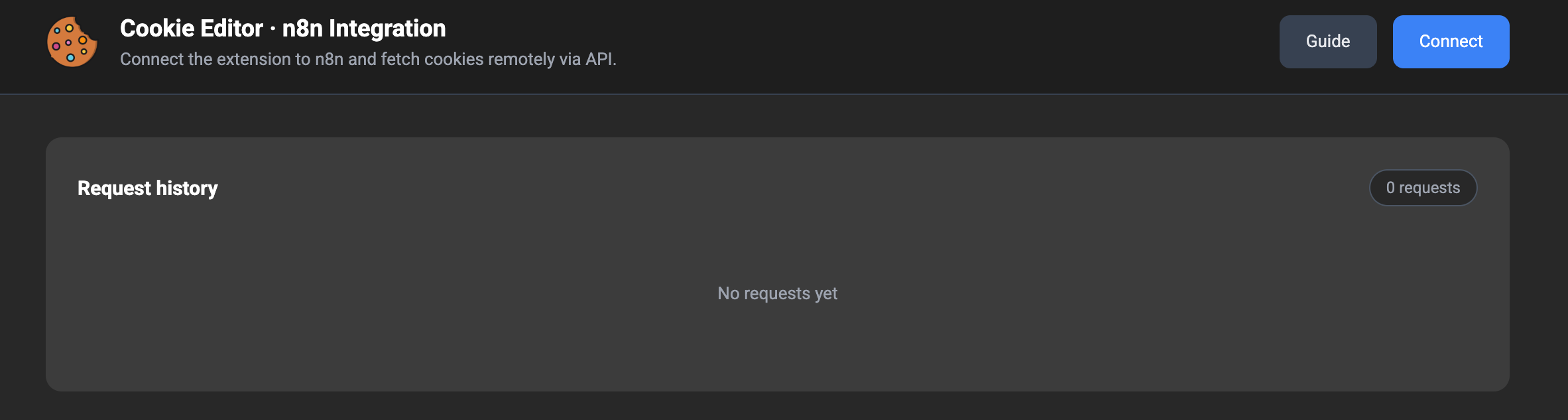
步骤 1:打开 n8n 标签页
- 打开 Cookie Editor 侧边栏。
- 点击右侧边栏中的 n8n 图标。
- 扩展会打开专用的
n8n.html标签页。
步骤 2:将扩展连接到服务器
- 点击 Connect。
- 若提示,授予
storage和alarms权限。 - 在 Connect 弹窗中输入 encryption password(加密密码)。
- 此密码 不会发送到服务器。
- 它存储在扩展本地——在 n8n 中解密时请使用相同值。
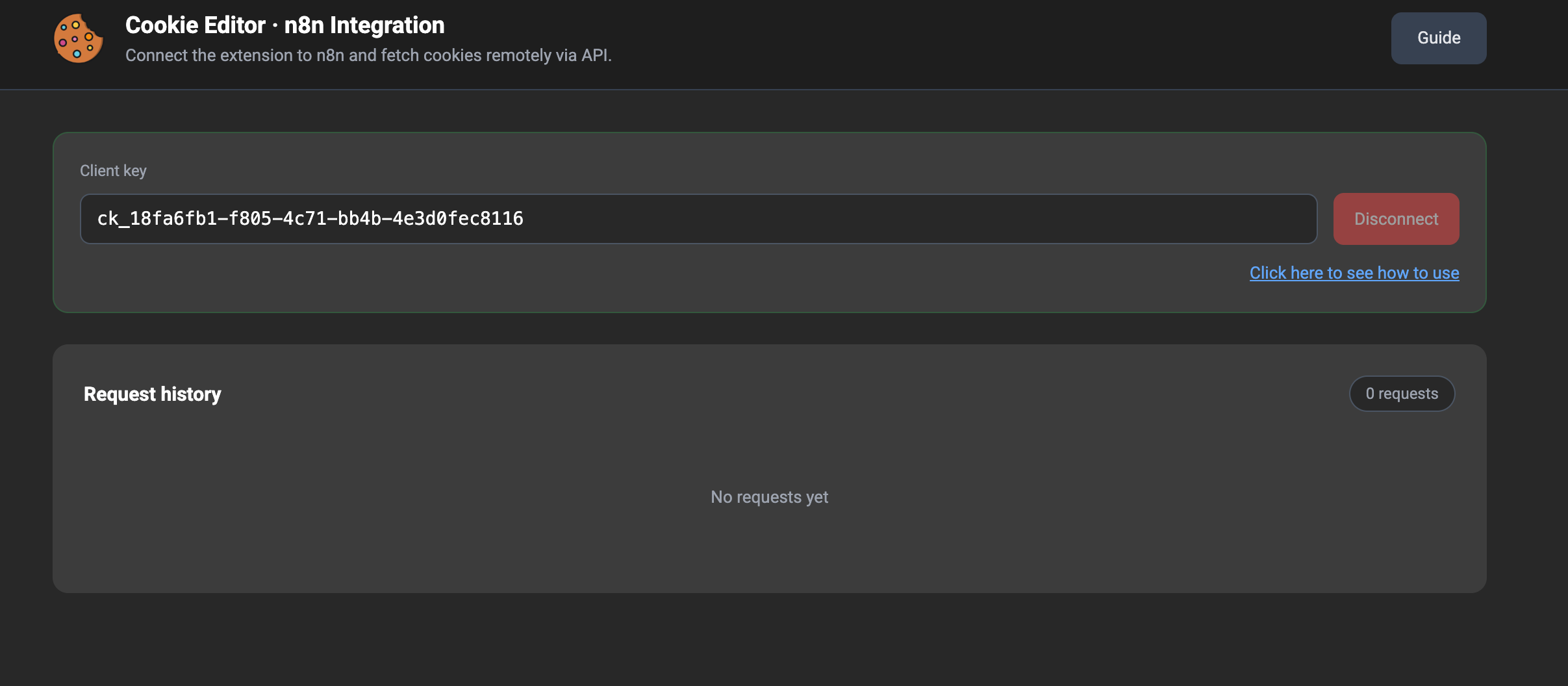
- 扩展会建立到
wss://cookieeditor.org/ws/n8n的 WebSocket 连接(开发环境:ws://localhost:3000/ws/n8n)。 - 服务器返回
client_key,形如ck_xxxxxxxx-xxxx-xxxx-xxxx-xxxxxxxxxxxx。
步骤 3:复制 client_key
连接成功后,复制屏幕上显示的 client_key。在 n8n 的每次 API 请求中都需要使用它。
扩展中 Usage / View usage 标签页包含现成的 fetch、curl 和 n8n Function 示例。
步骤 4:从 n8n 调用 API
HTTP Request 节点
Method: GET
URL: https://cookieeditor.org/api/n8n/cookies
Query:
  client_key: {{ $env.COOKIE_EDITOR_CLIENT_KEY }}
  url: https://example.com
curl
curl "https://cookieeditor.org/api/n8n/cookies?client_key=ck_YOUR_KEY&url=https://example.com"
fetch (JavaScript)
const res = await fetch(
  "https://cookieeditor.org/api/n8n/cookies?client_key=ck_YOUR_KEY&url=https://example.com"
);
const json = await res.json();
// json.data = AES-encrypted cookie string
成功响应
{
  "success": true,
  "request_id": "550e8400-e29b-41d4-a716-446655440000",
  "client_key": "ck_...",
  "url": "https://example.com",
  "domain": "example.com",
  "data": "U2FsdGVkX1+..."
}
步骤 5:在 n8n 中解密
在 HTTP Request 之后添加 Function 节点:
const CryptoJS = require('crypto-js');

const encrypted = $input.first().json.data;
const password = $env.COOKIE_EDITOR_PASSWORD; // same password as Connect

const decryptedBase64 = CryptoJS.AES.decrypt(encrypted, password)
  .toString(CryptoJS.enc.Utf8);

if (!decryptedBase64) {
  throw new Error('Decryption failed — wrong password?');
}

const cookies = JSON.parse(atob(decryptedBase64));

return cookies.map((cookie) => ({ json: cookie }));
如有需要,请在 n8n 中安装
crypto-js包。密码必须与连接扩展时输入的 一致。
n8n 调用 API 时会发生什么
- n8n 发送
GET /api/n8n/cookies?client_key&url - 服务器通过
client_key查找 WebSocket 会话 - 服务器向扩展发送
{ type: "get_cookies", request_id, url } - 扩展:
chrome.cookies.getAll({ url })→ AES 加密 → 发送cookies_result - 服务器将加密的
data返回给 n8n - n8n 使用您的密码解密
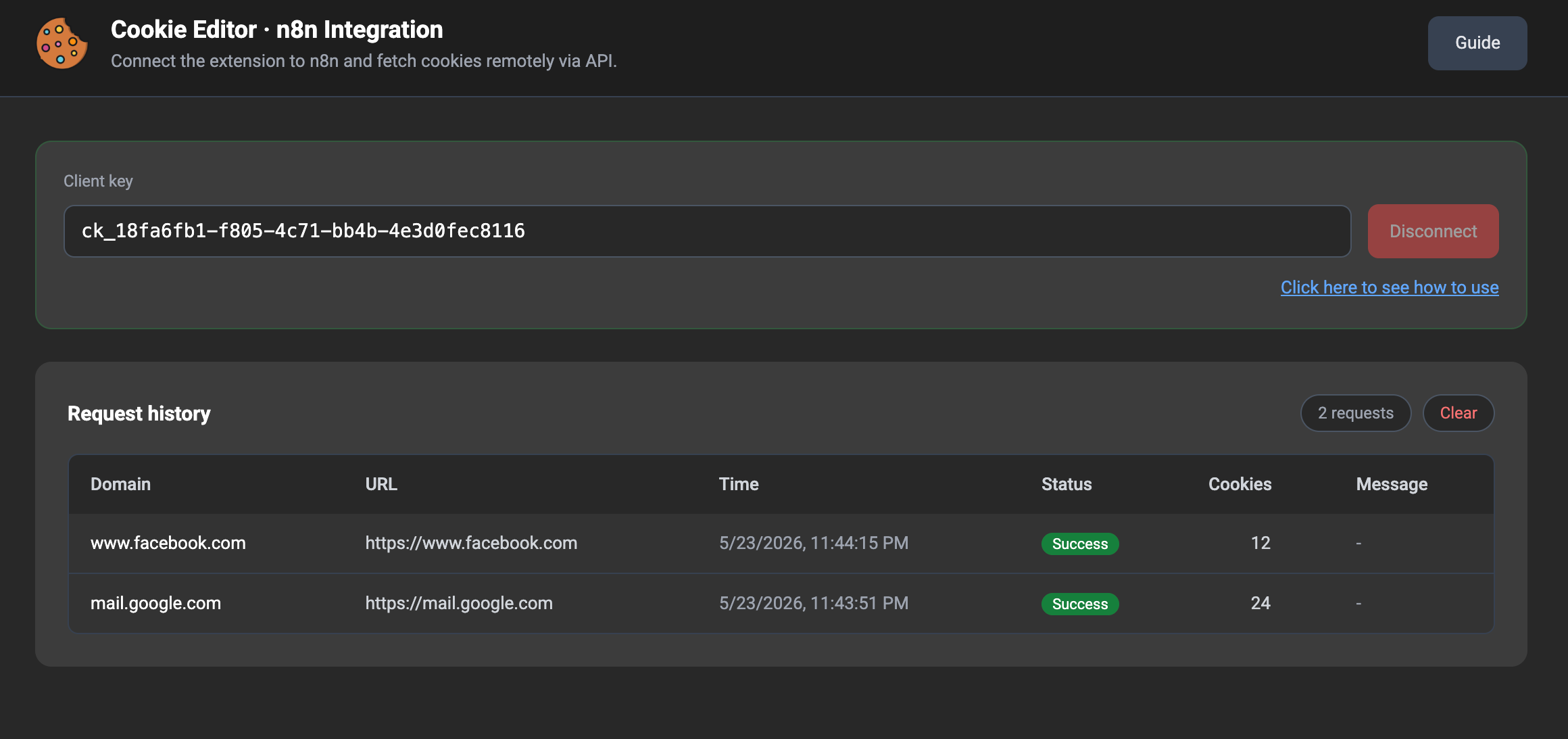
请求历史
扩展在 n8n 标签页中最多保存 50 条最近请求(仅本地):
- 域名、URL、时间、状态、Cookie 数量、错误消息
- 使用 Clear history 按钮清除历史
断开连接
在 n8n 标签页点击 Disconnect:
- 扩展发送
{ type: "disconnect" }并关闭 WebSocket - 服务器移除会话——旧的
client_key将失效 - 根据断开连接设置,本地密码可能会被清除
常见错误
| API 错误 | 原因 |
|---|---|
client_not_found |
扩展未连接或已断开 |
extension_timeout |
扩展在 30 秒内未响应 |
extension_error |
该 URL 无 Cookie,或缺少本地密码 |
| Decryption failed | n8n 密码与 Connect 密码不一致 |
稳定运行的要求
- Chrome 必须 正在运行 且扩展已连接
- n8n 标签页或后台 service worker 需保持 WebSocket 连接
- 请求中的 URL 必须在浏览器中有 Cookie(您需曾访问过该网站)